dynamic_feed
EasyConnect
Integrate Ulive with EasyParcel in 4 steps.
add_to_drive
Log in EasyParcel
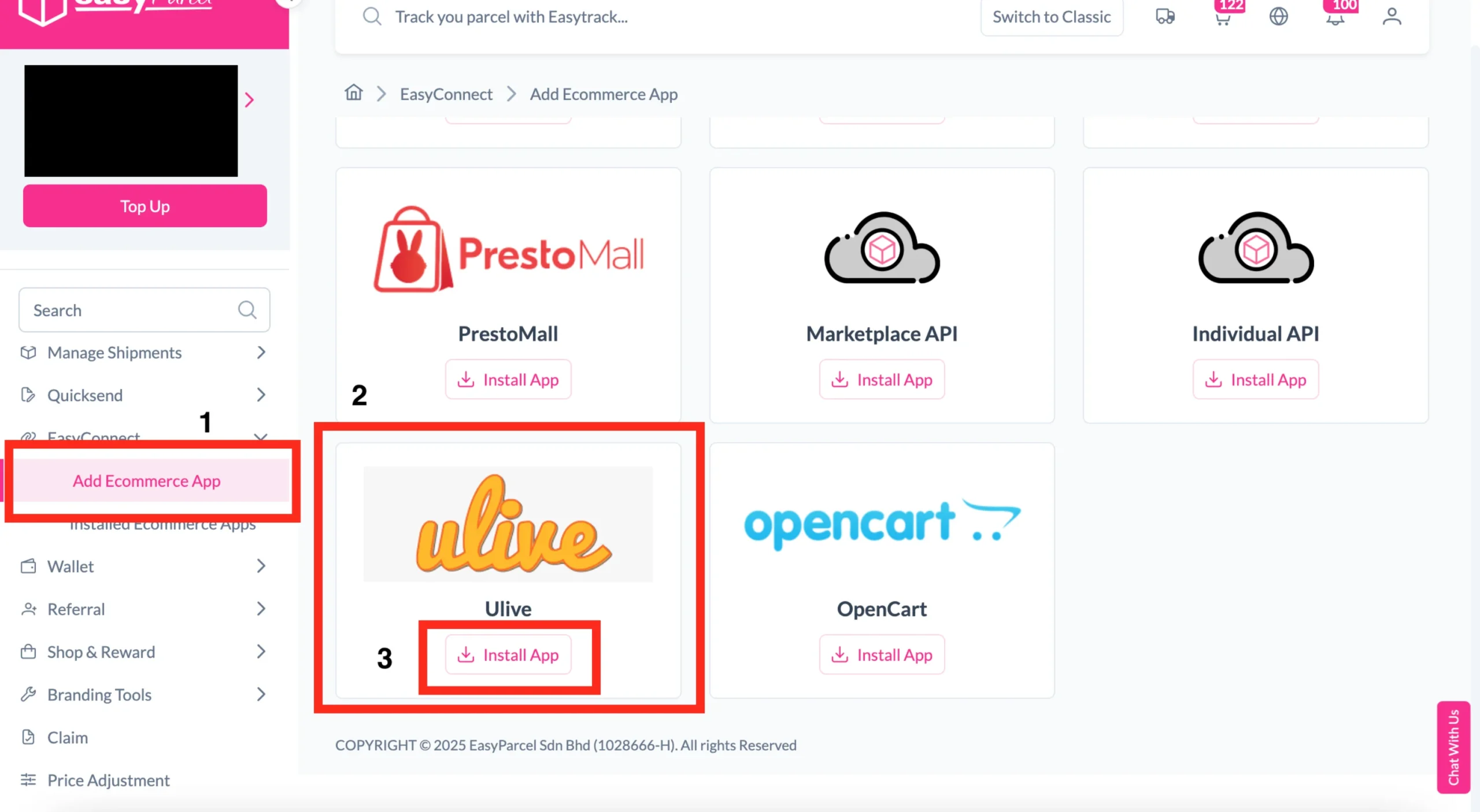
Log in to your EasyParcel account, then go to EasyConnect and click "Add Ecommerce App".
security
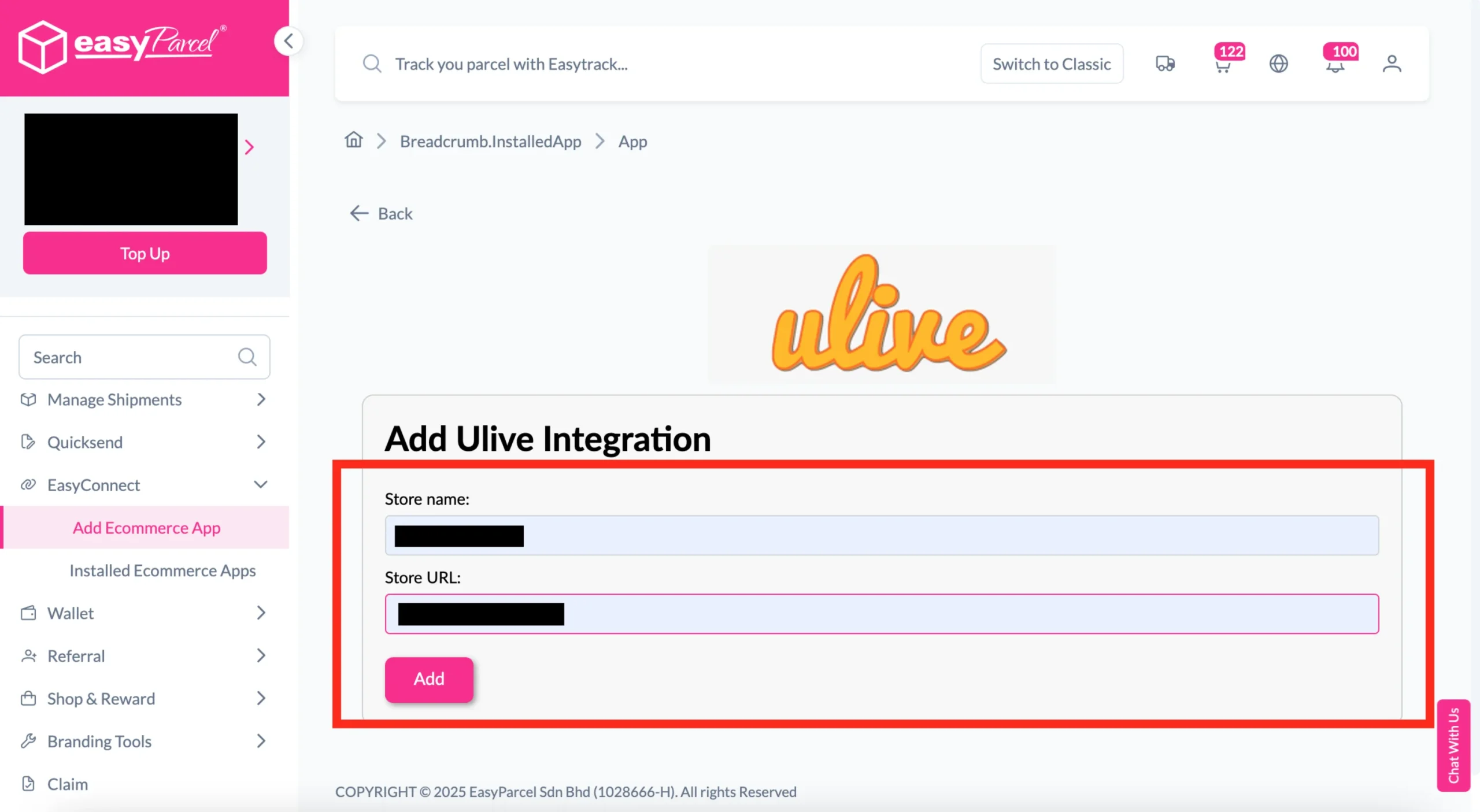
Install Ulive App
Search for Ulive, click Install App, then enter your Store Name and Store URL and click Add.
edit_note
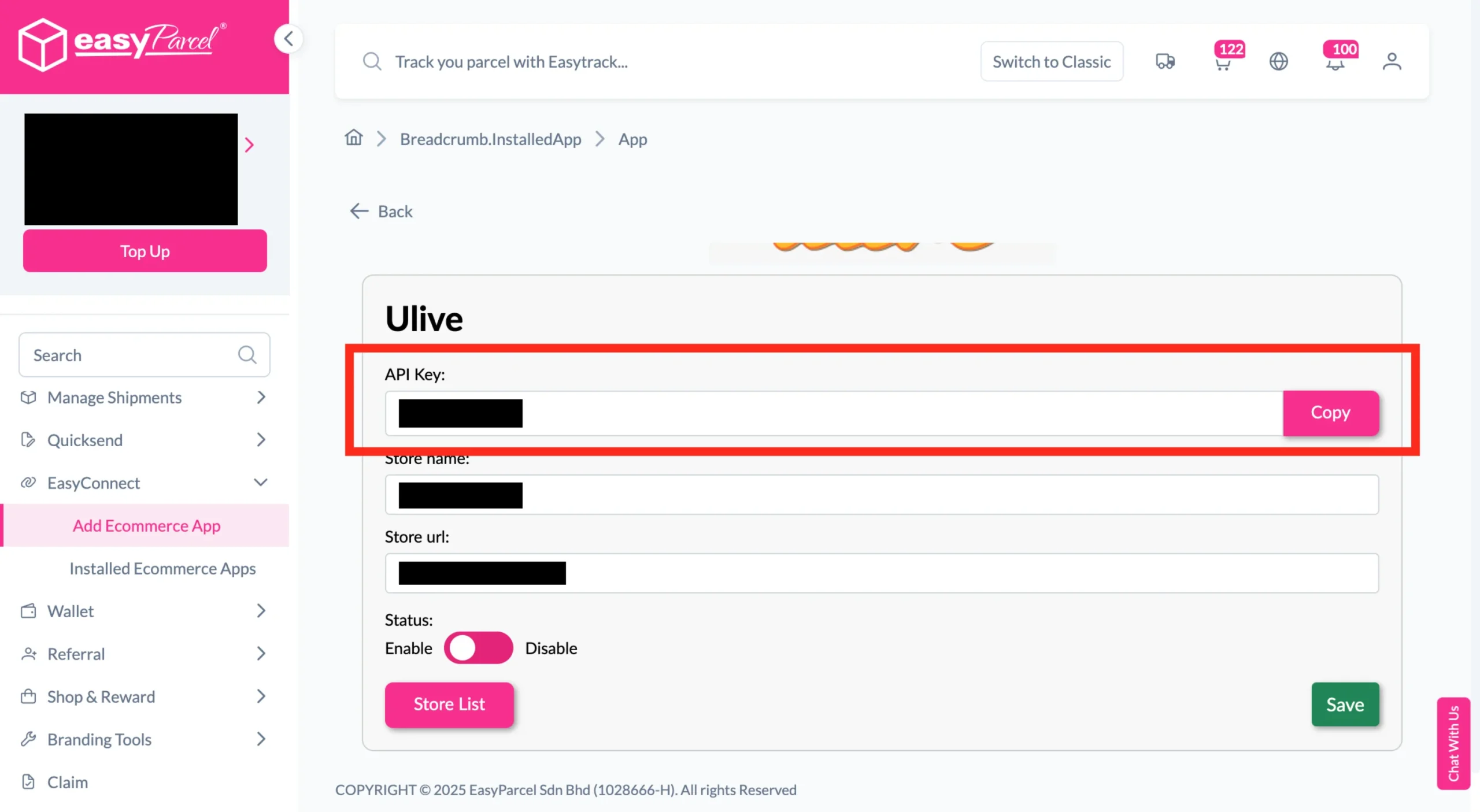
Copy Integration ID
EasyParcel will generate a Store API Key/ Integration ID, copy this integration ID for the next step.
done_all
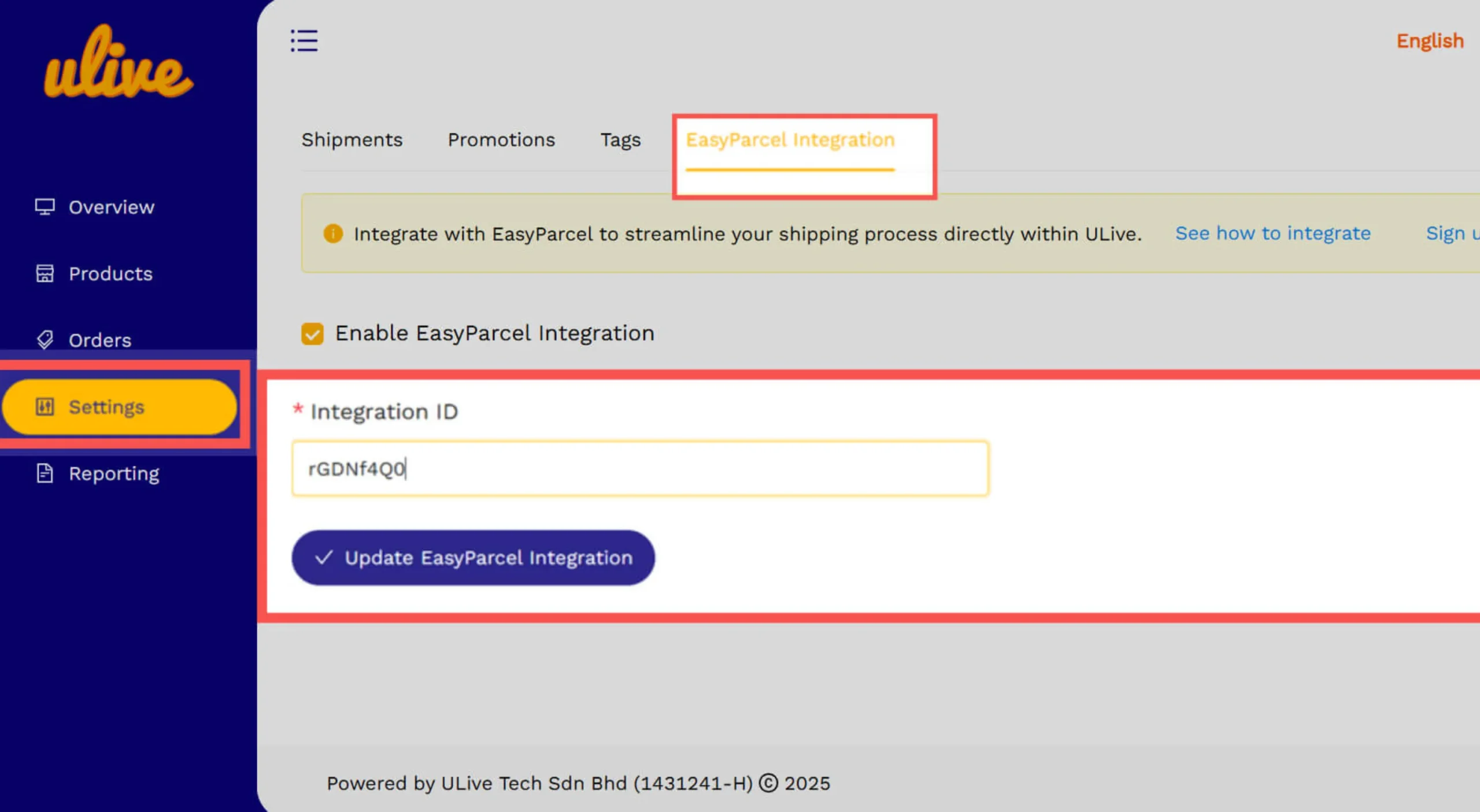
Connect in Ulive
Log in to Ulive, go to Settings→ Tags → Integration, turn it ON, paste the Integration ID, click Update EasyParcel Integration.
Step 1 of 4
Step 2 of 4
Step 3 of 4
Step 4 of 4