dynamic_feed
EasyConnect
Integrate Lazada with EasyParcel in 4 steps.
add_to_drive
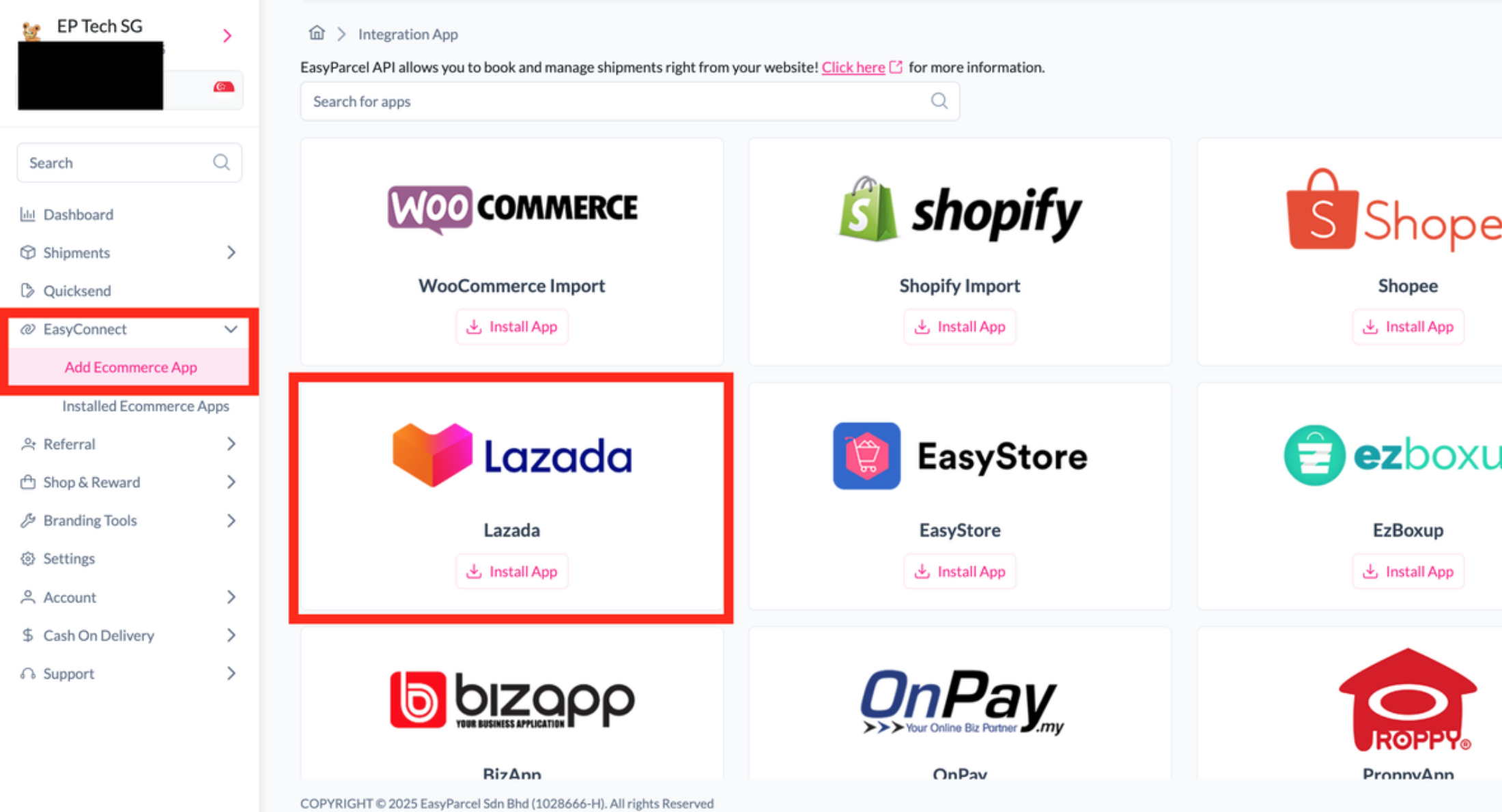
Install the Lazada Integration
Log in to your EasyParcel account, go to EasyConnect, click Add Ecommerce App, search for Lazada, and click Install App. Then click Allow Access.
security
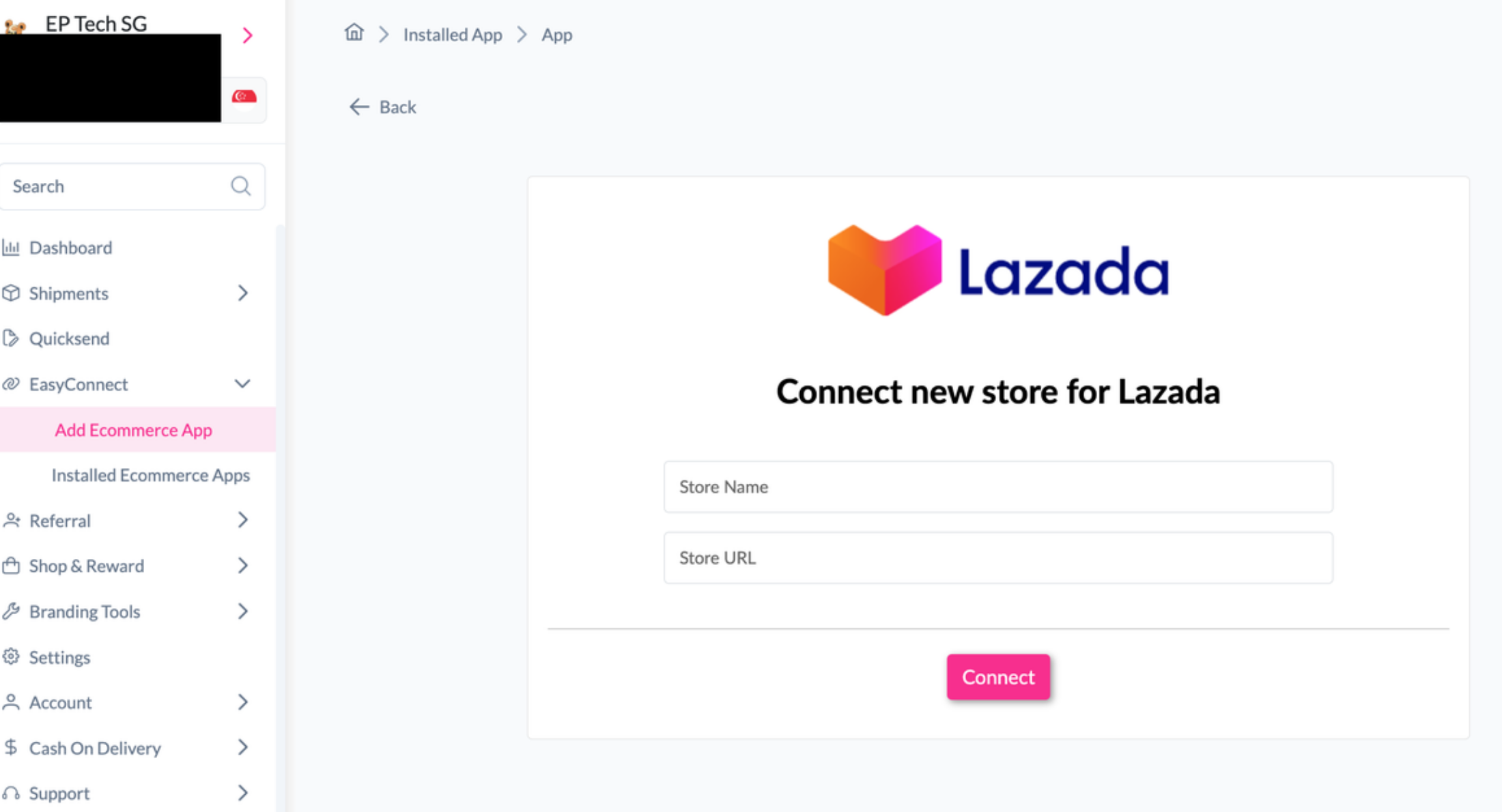
Connect Your Lazada Store
Enter your Store Name and Store URL, click Connect, and log in to your Lazada account to complete the connection.
edit_note
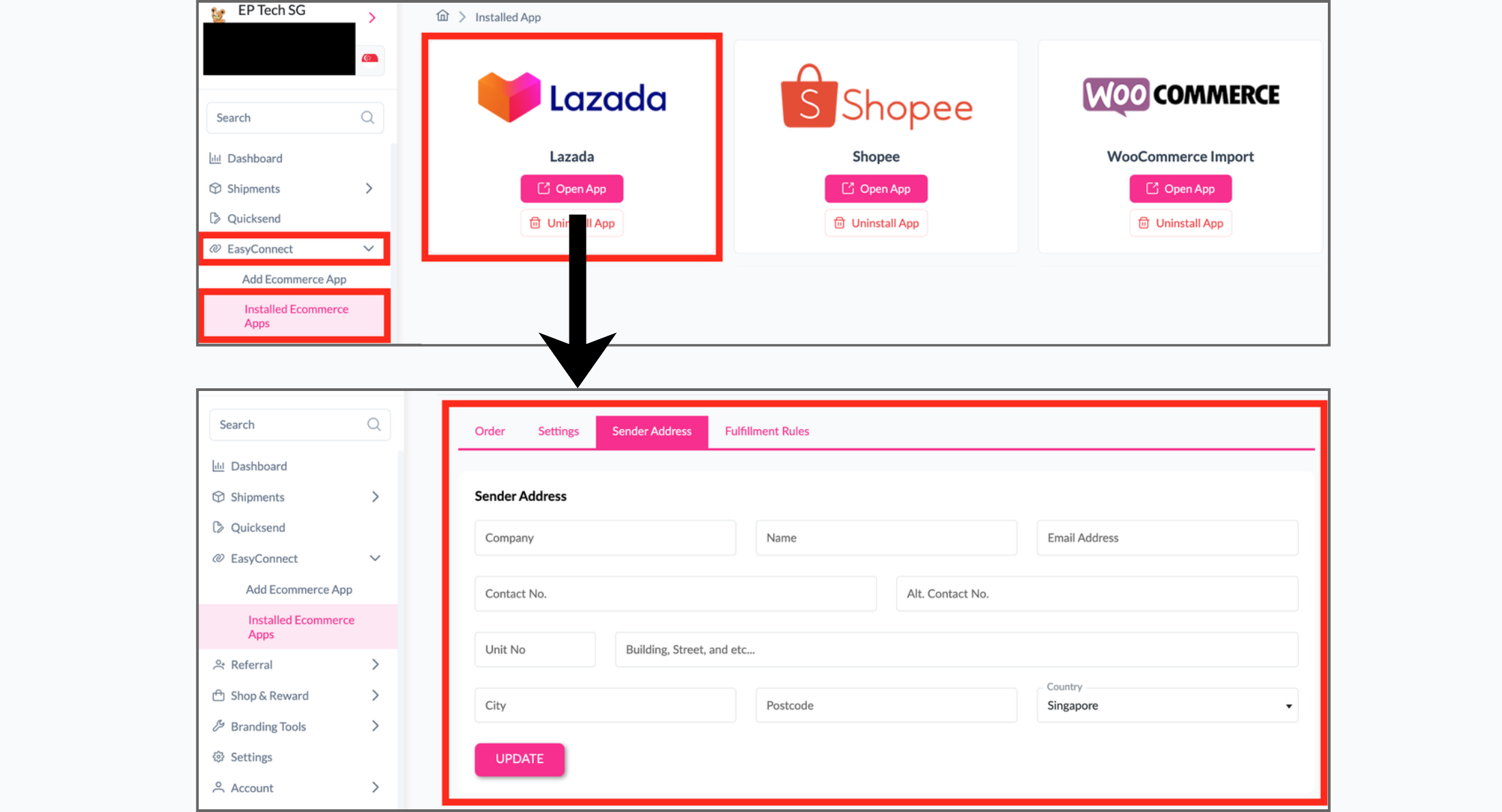
Set Up Sender Details
Under EasyConnect, go to Installed Ecommerce Apps, find Lazada, and click Open App. Select Sender Address, enter your sender details, and click Update.
done_all
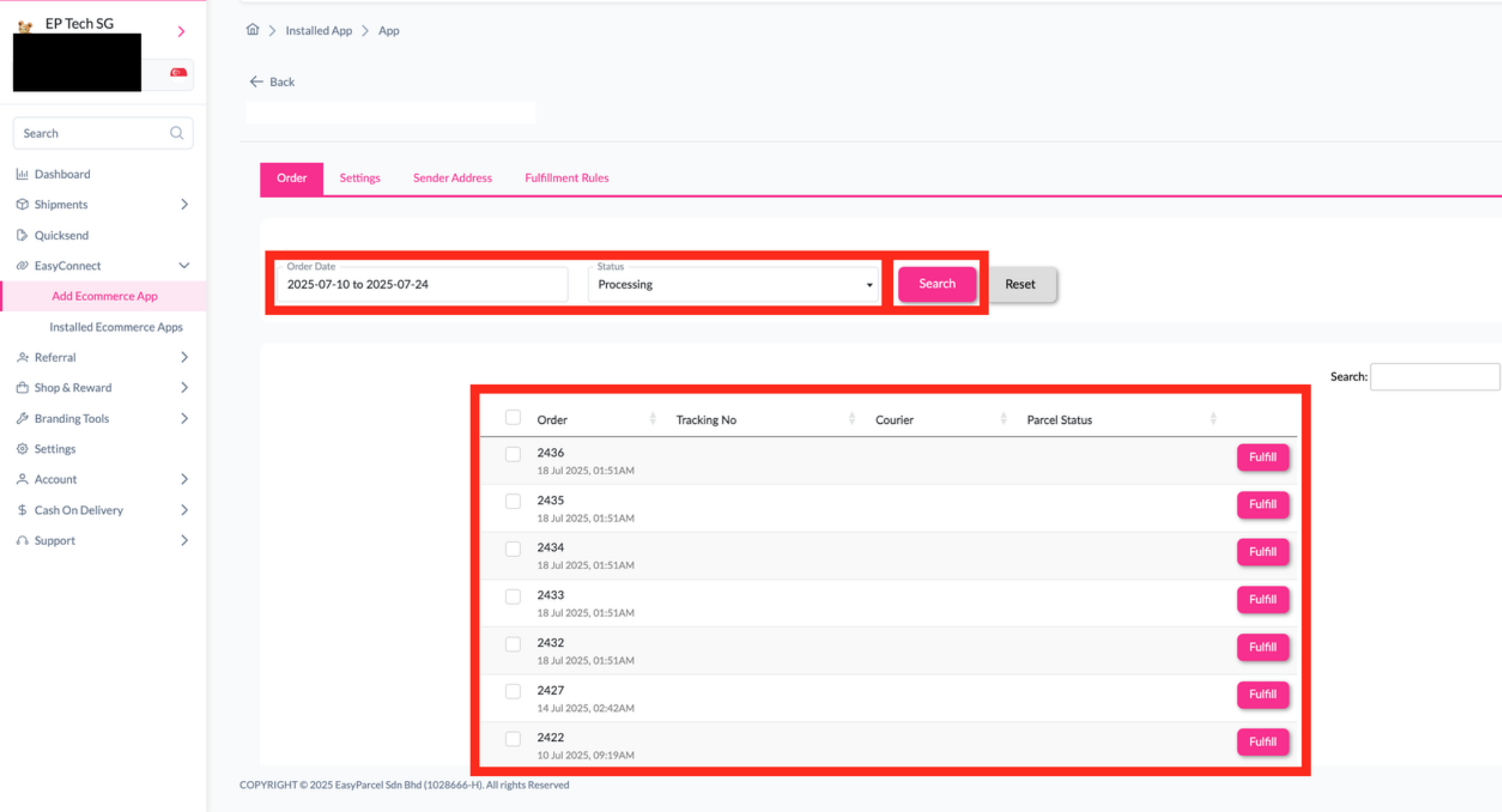
Import and Fulfill Orders
Go to Order, select the order date and status, then click Search to import orders. Once the orders appear, click Fulfill for the order you want to process.
Step 1 of 4
Step 2 of 4
Step 3 of 4
Step 4 of 4