dynamic_feed
EasyConnect
Integrate Shopify with EasyParcel in 6 steps.
link
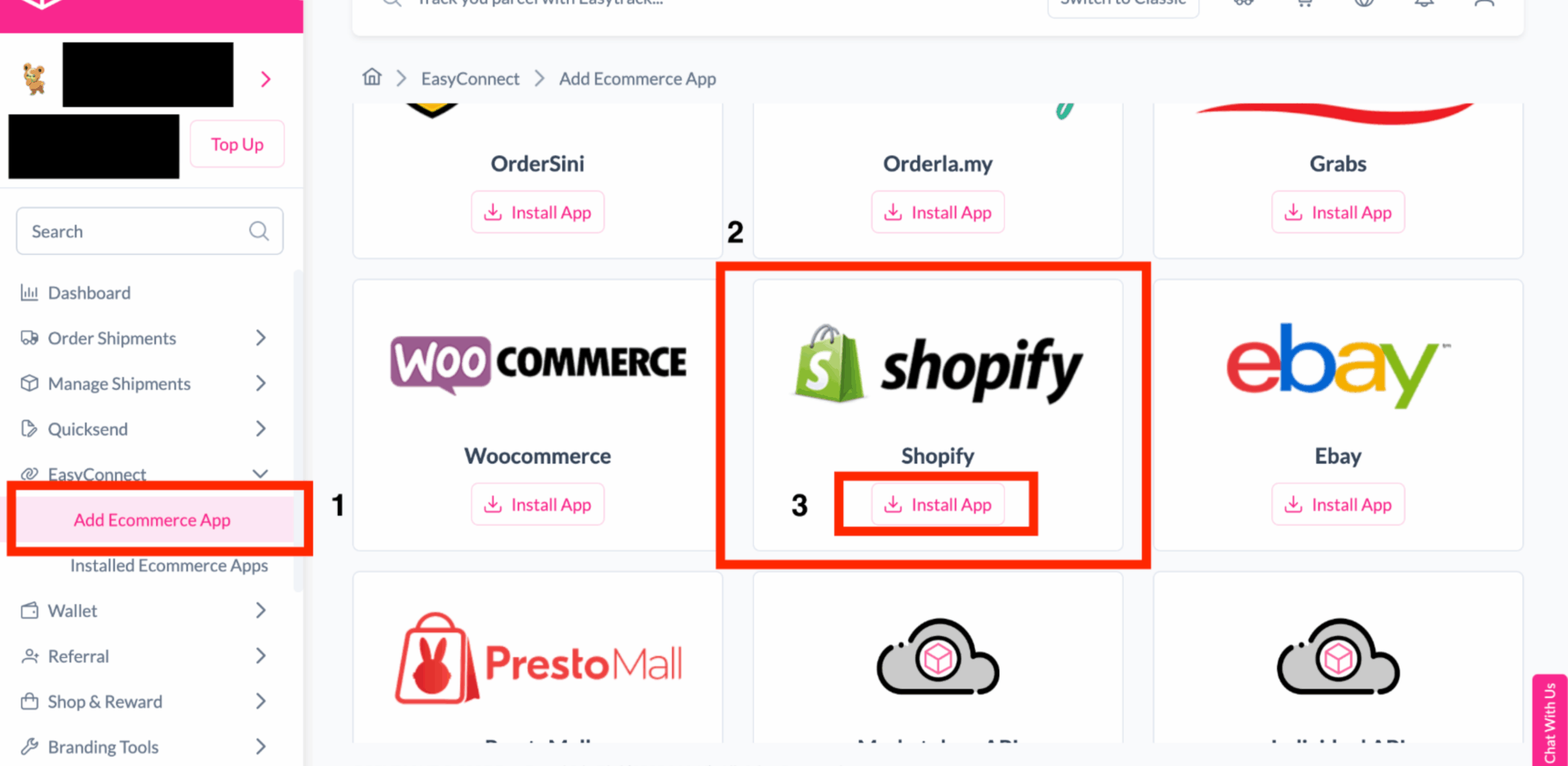
Install Shopify in EasyParcel
Log in to your EasyParcel account, go to EasyConnect, click Add Ecommerce App, search for Shopify, and install the app.
security
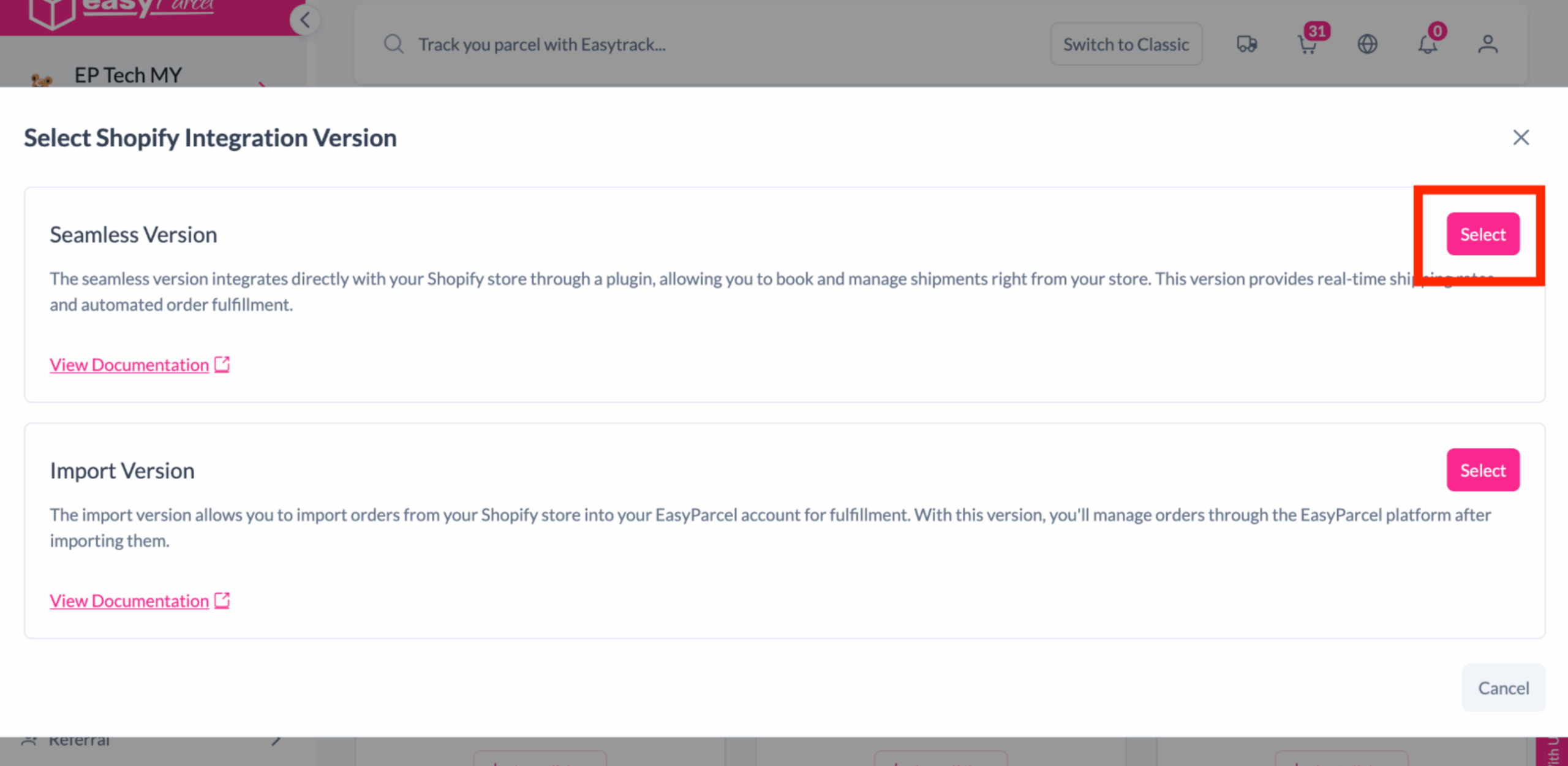
Select Integration Version
Choose the Seamless Version to proceed.
pin
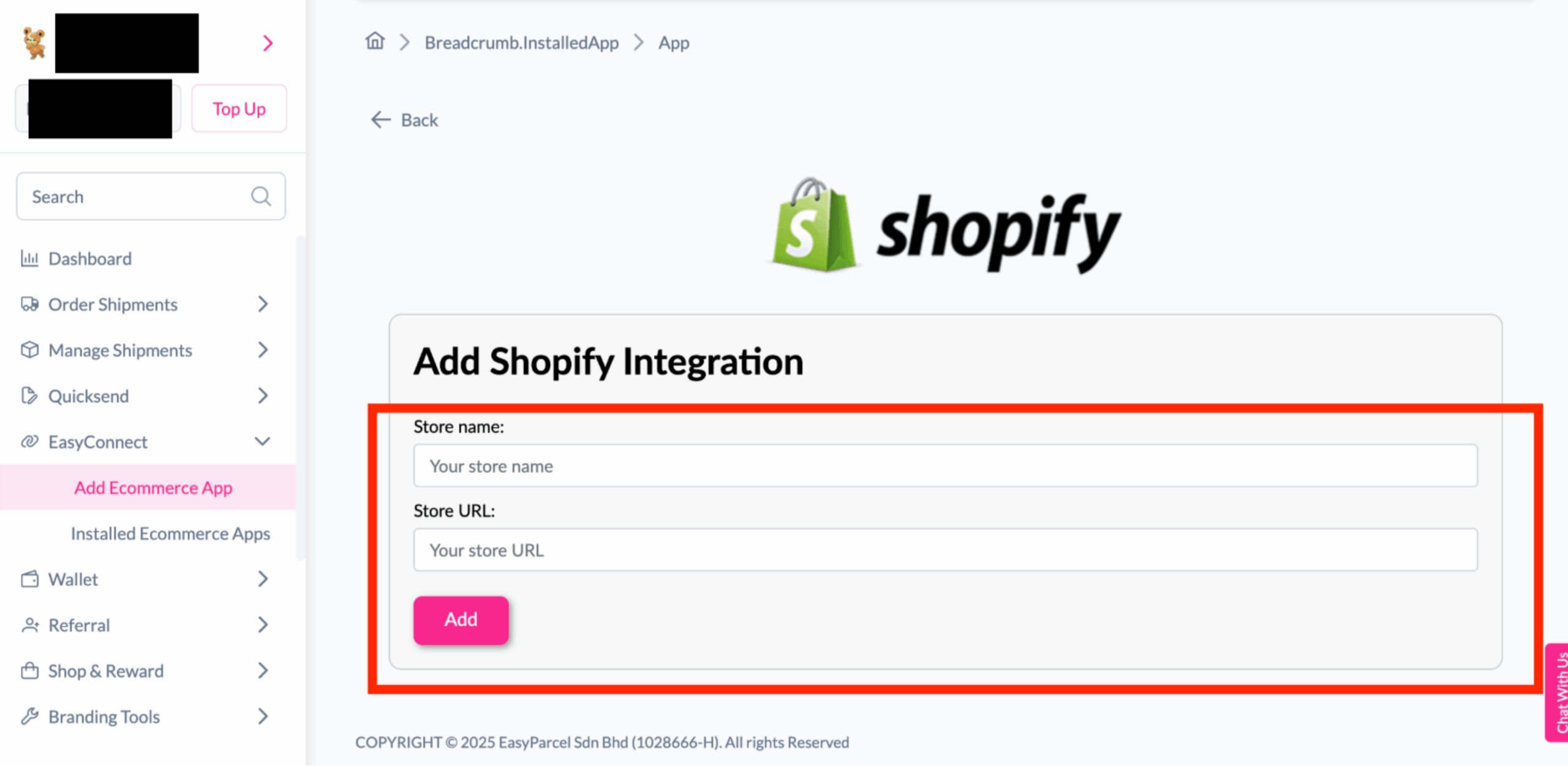
Add Store Details
Enter your Store Name and Store URL, then click Add.
edit_note
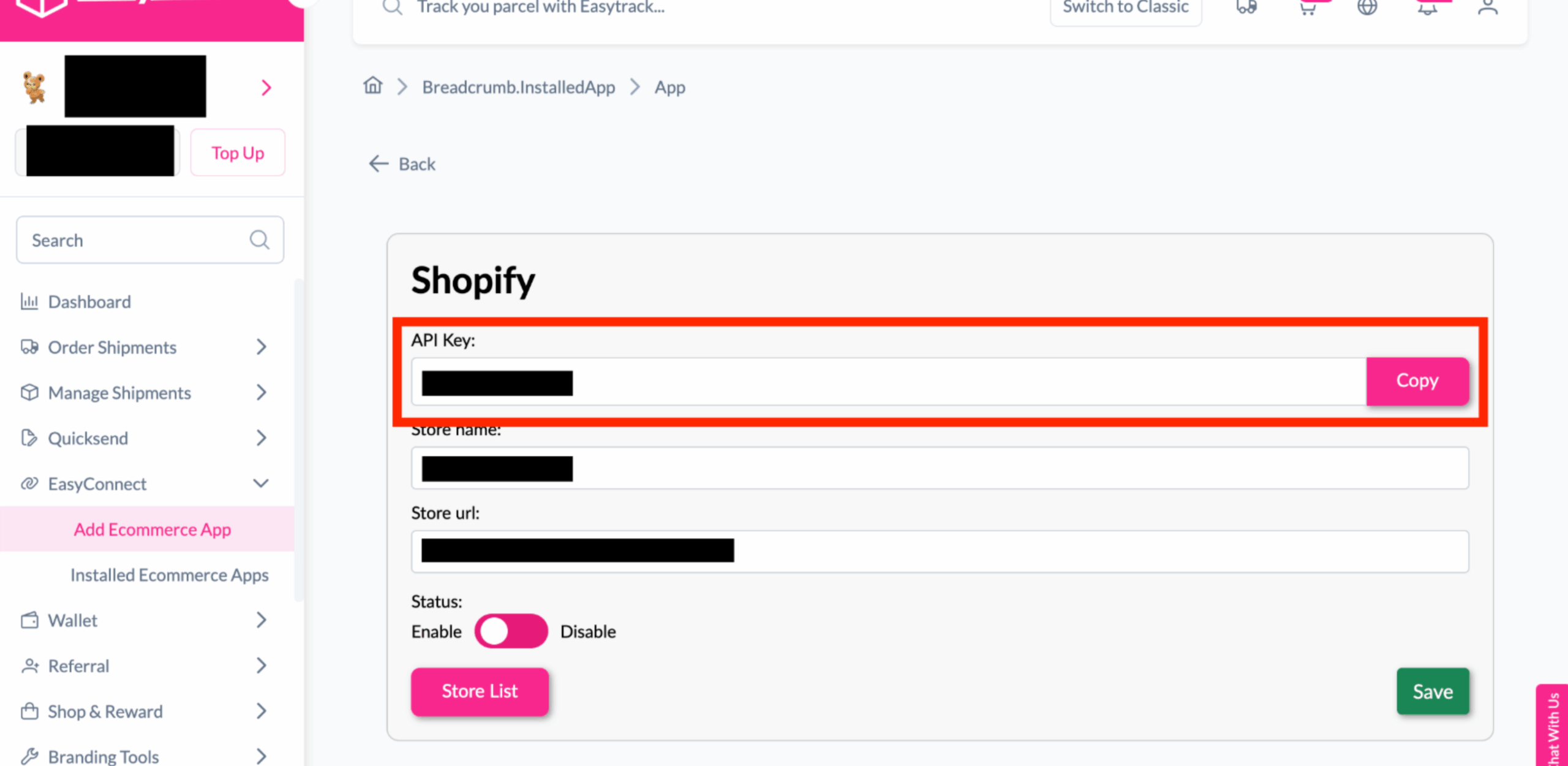
Copy Integration ID
Copy the generated API Key or Integration ID.
download
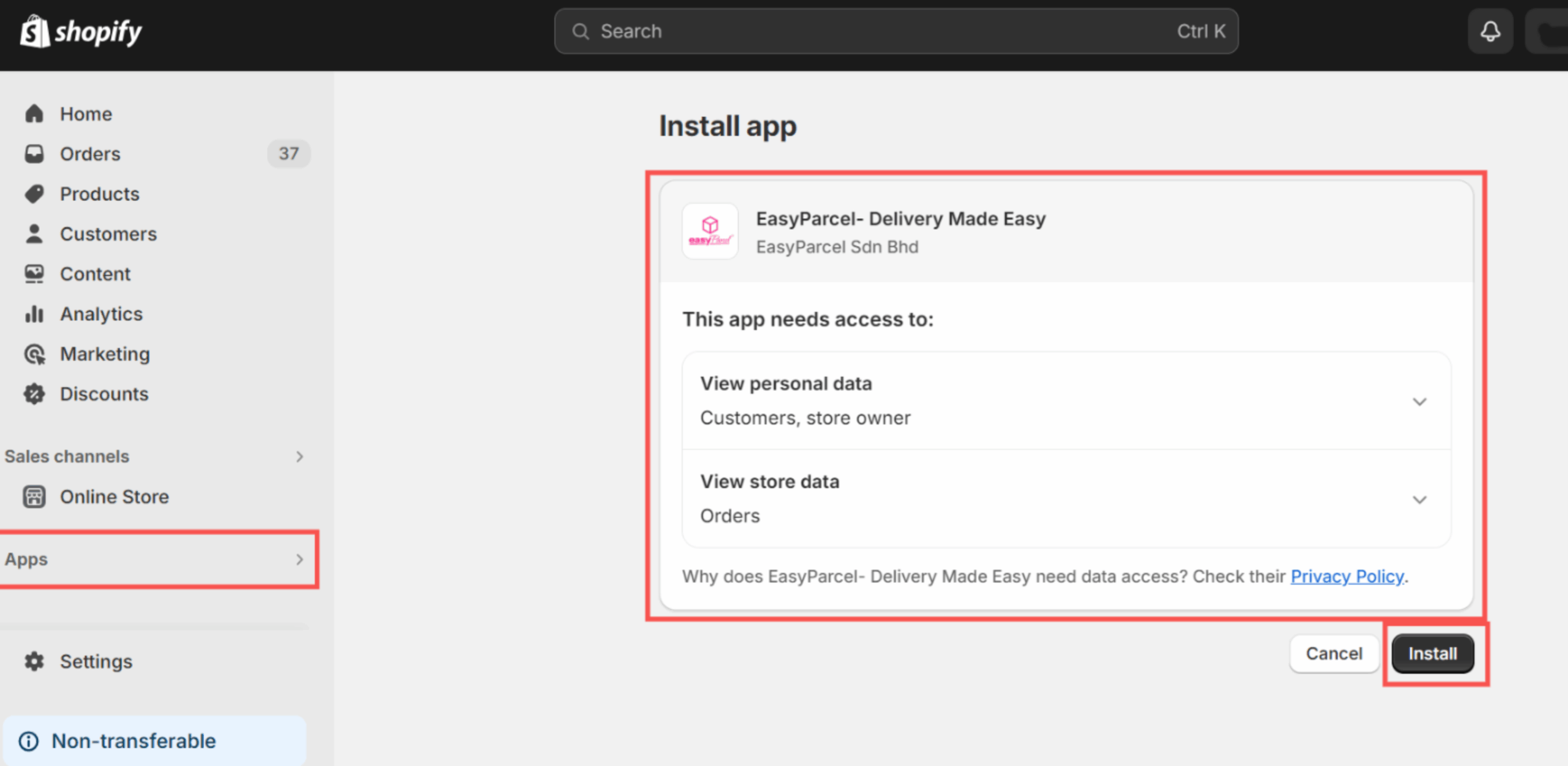
Install EasyParcel App in Shopify
Go to your Shopify Admin, open Apps, search for EasyParcel – Delivery Made Easy, and install the app.
done_all
Configure and Complete Setup
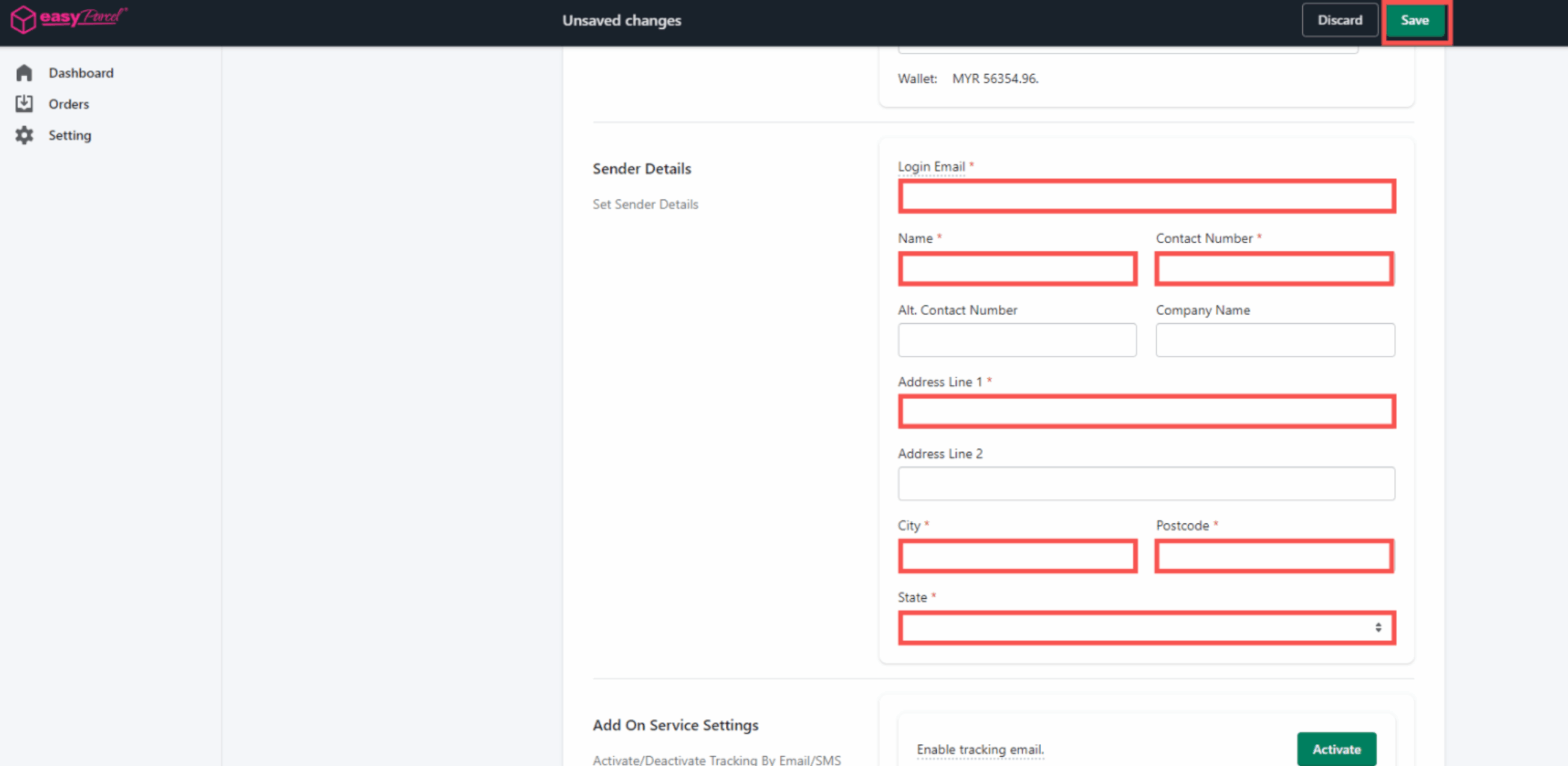
Open the EasyParcel app in Shopify, click Start Setup, enter your Integration ID, verify your Sender Details, and save the settings.
Step 1 of 6
Step 2 of 6
Step 3 of 6
Step 4 of 6
Step 5 of 6
Step 6 of 6