dynamic_feed
EasyConnect
Integrate Lazada with EasyParcel in 5 steps.
link
Install Lazada in EasyParcel
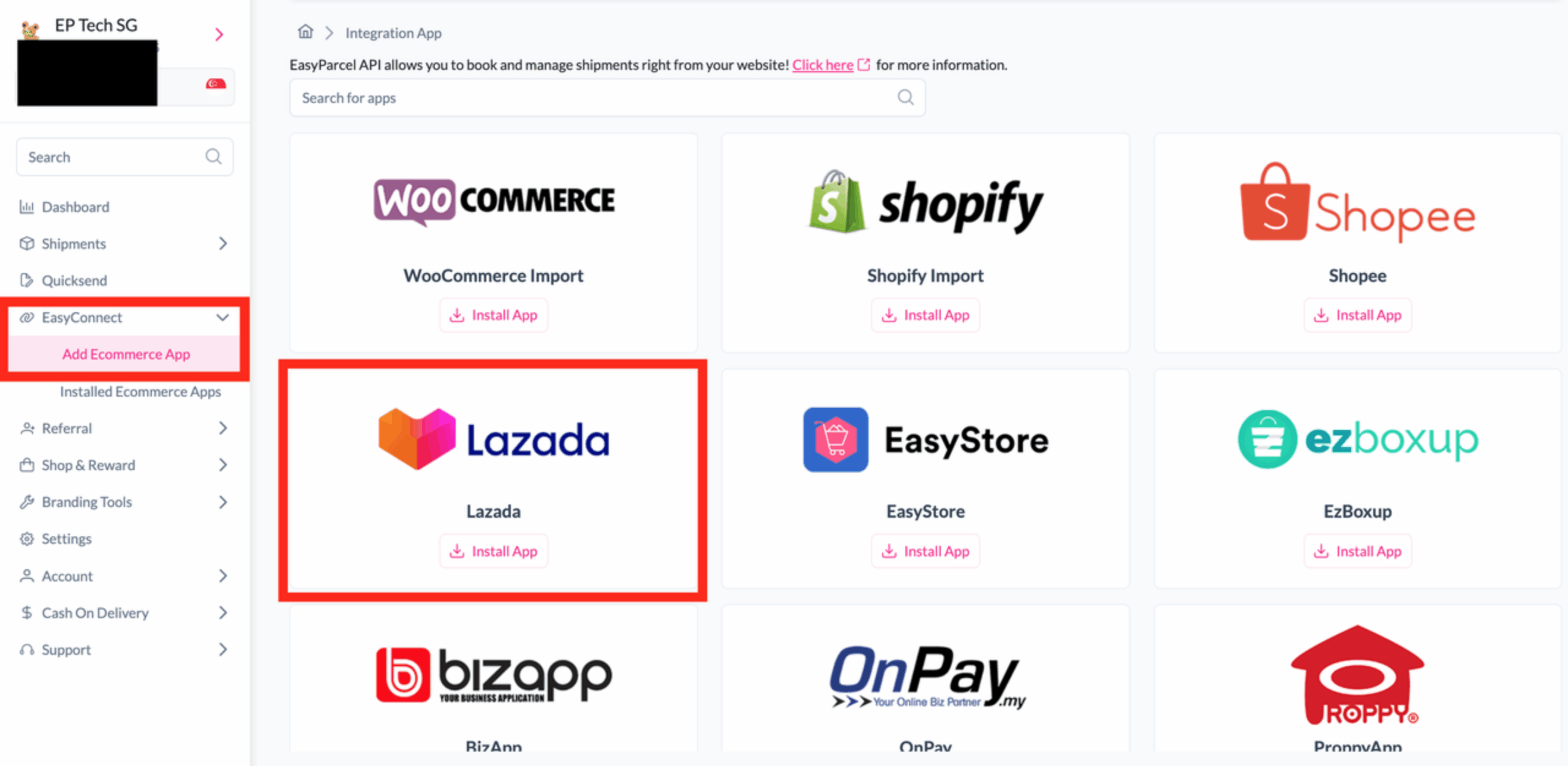
Log in to your EasyParcel account, go to EasyConnect, click Add Ecommerce App, find Lazada, and click Install App.
security
Allow Lazada Access
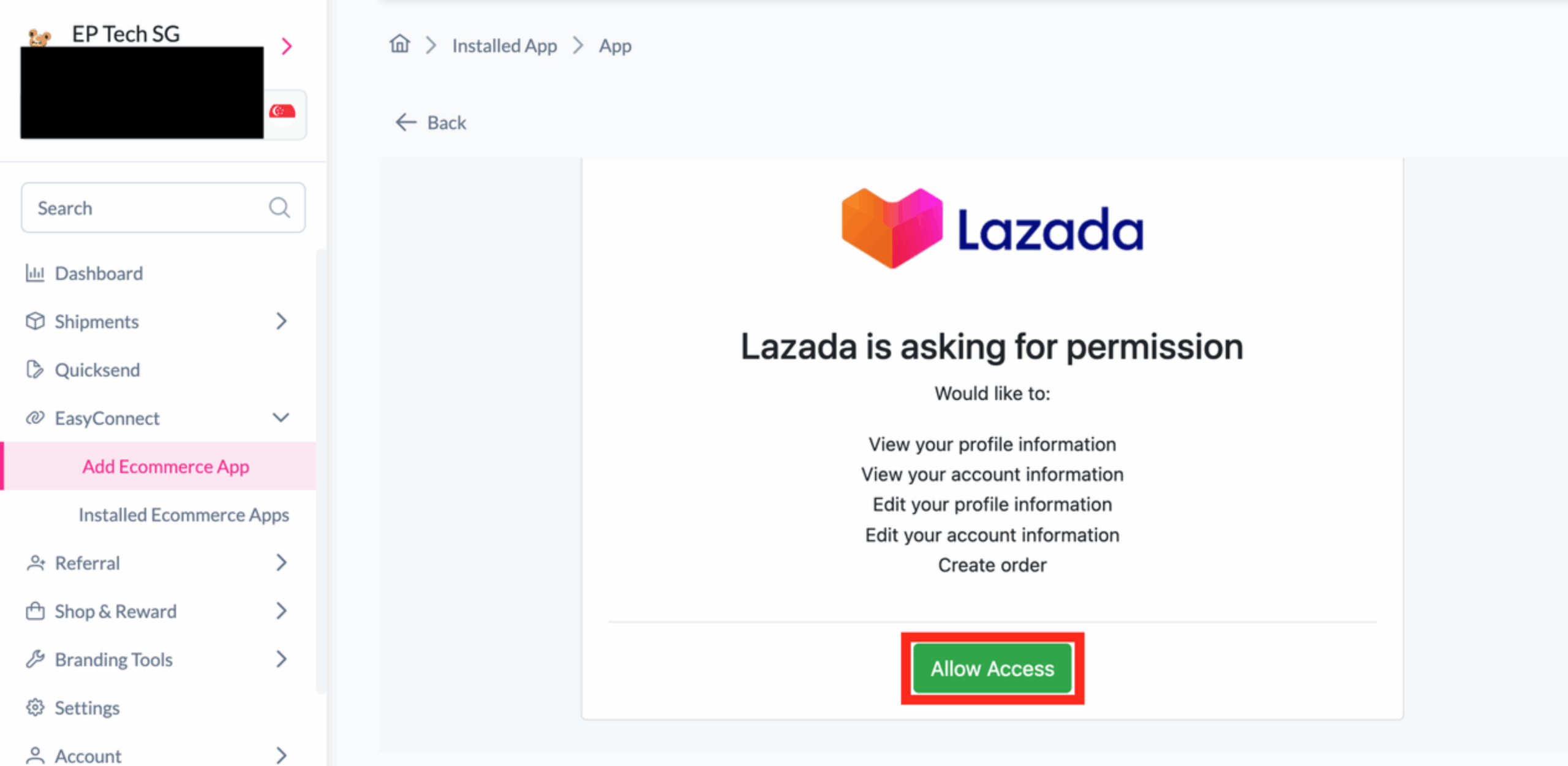
Log in to your Lazada seller account and click Allow Access to grant permission.
pin
Connect Your Store
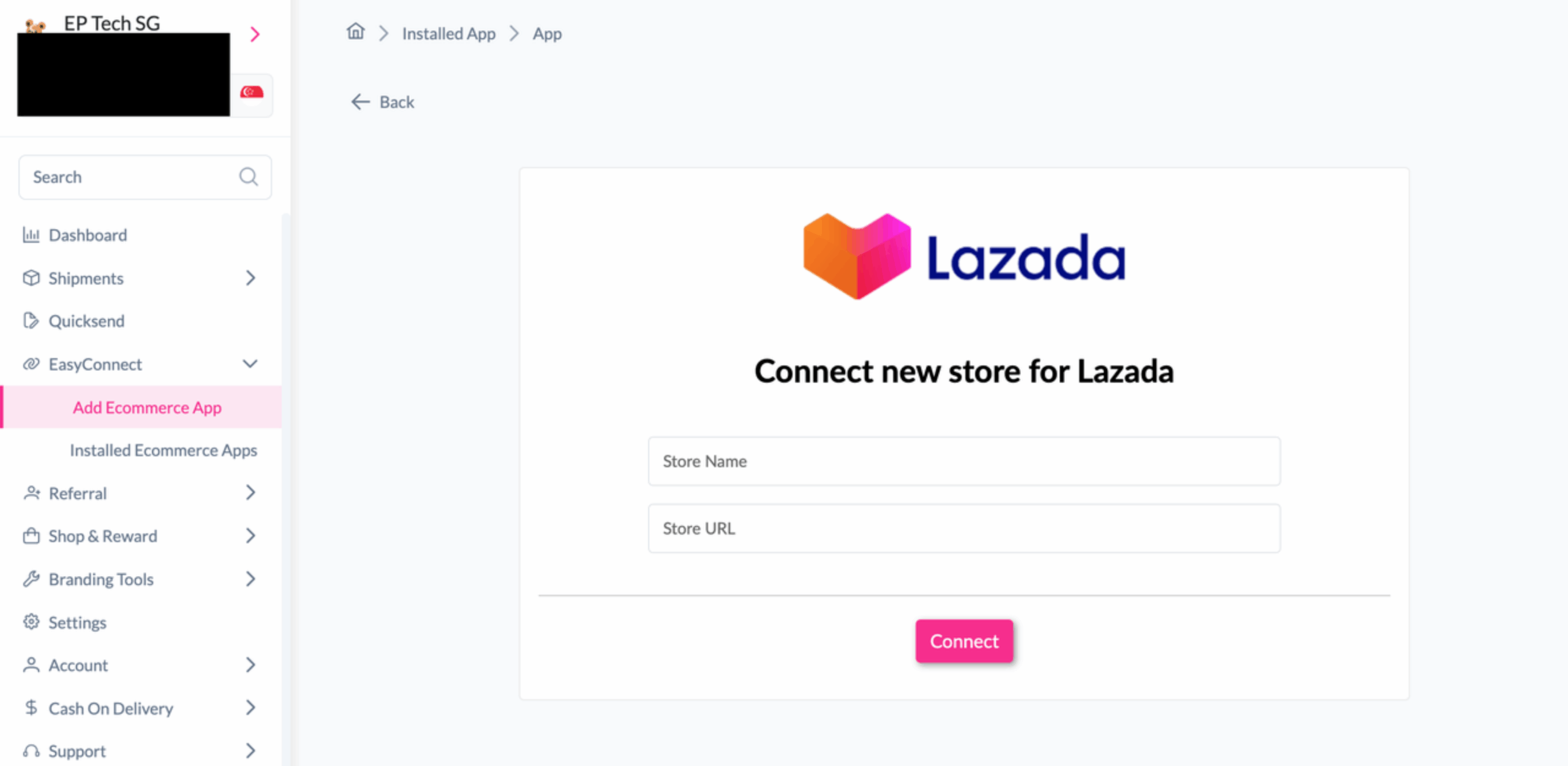
Enter your Store Name and Store URL, then click Connect.
edit_note
Authorize Integration
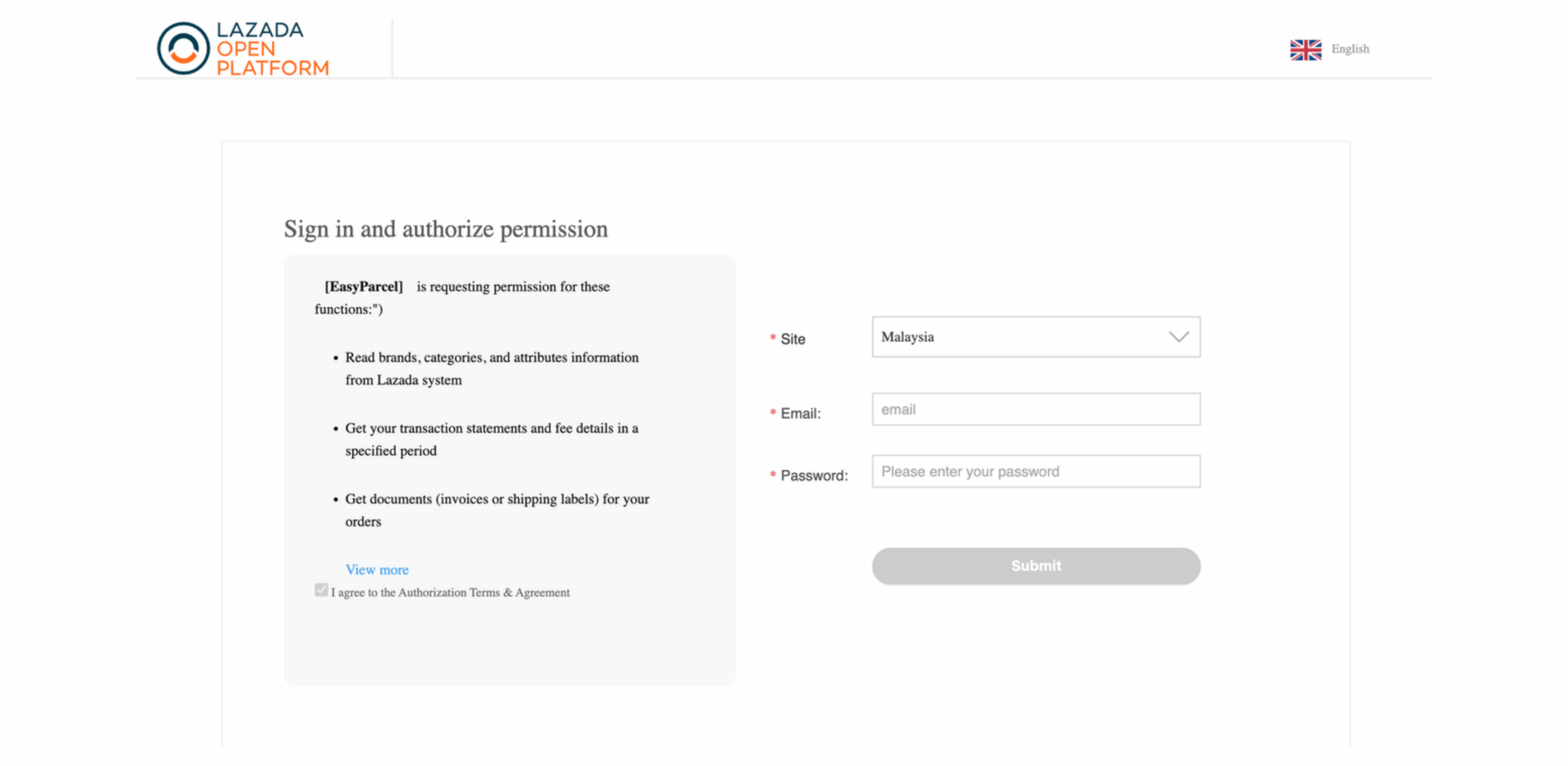
Sign in to the Lazada Open Platform, agree to the authorization terms, and submit the authorization request.
download
Verify Integration
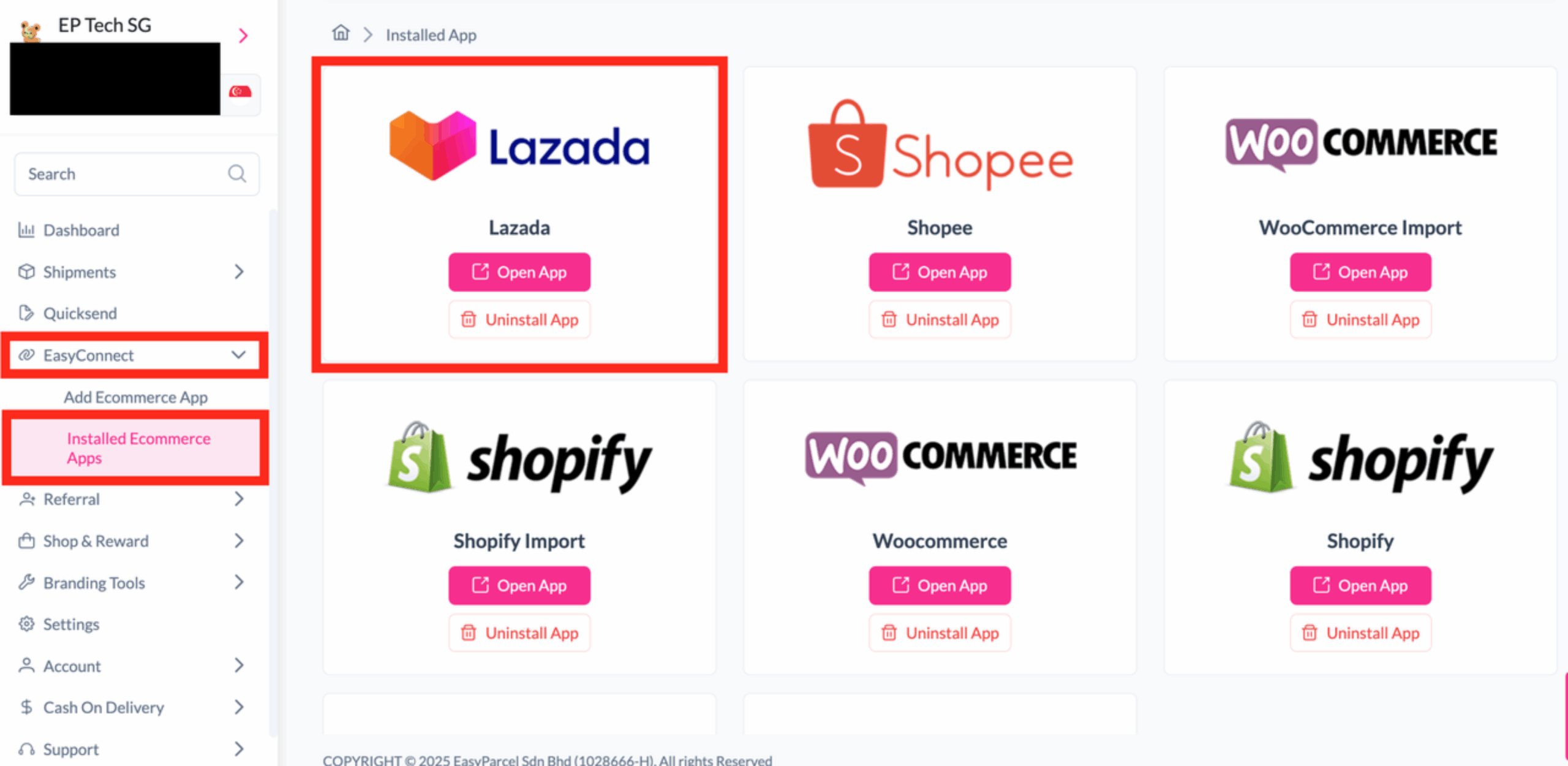
Go to EasyConnect -> Installed Ecommerce Apps and confirm that Lazada appears in the list.
Step 1 of 5
Step 2 of 5
Step 3 of 5
Step 4 of 5
Step 5 of 5