dynamic_feed
EasyConnect
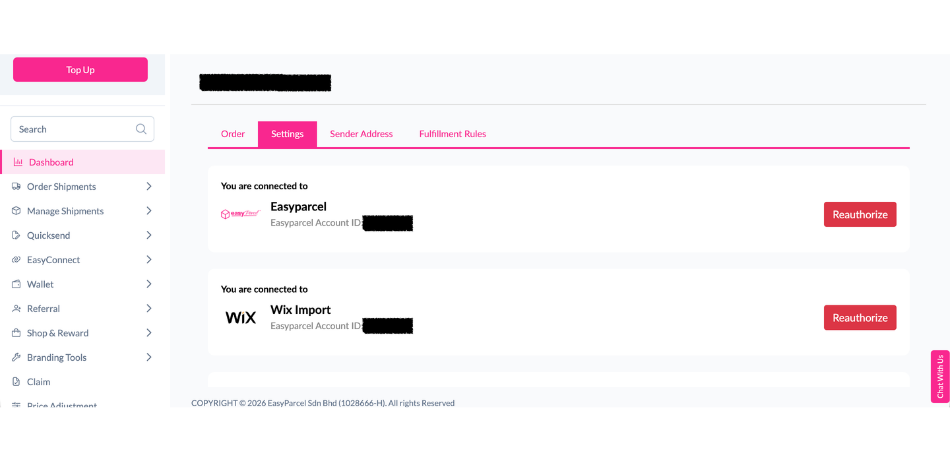
Integrate Wix with EasyParcel in 5 steps.
add_to_drive
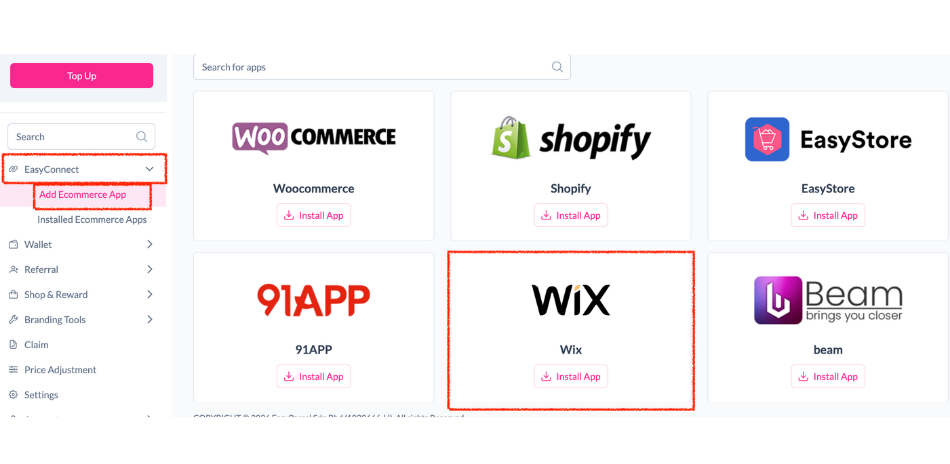
Add Wix to EasyParcel
Log in to your EasyParcel dashboard, go to EasyConnect and click Add Ecommerce App. Find Wix and click Install App.
security
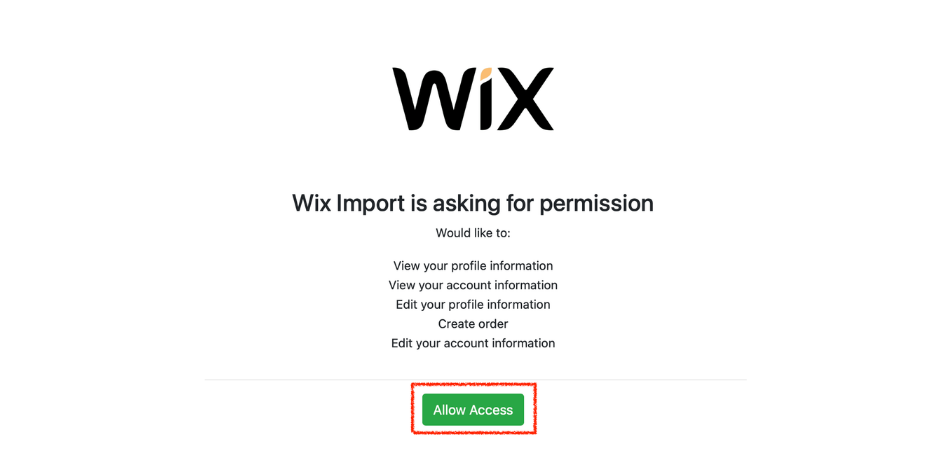
Authorize Integration
Allow EasyParcel to access your Wix store data by clicking Allow Access when prompted.
edit_note
Enter Store Details
Input your Store Name and Store URL, then click Connect to begin linking your store.
done_all
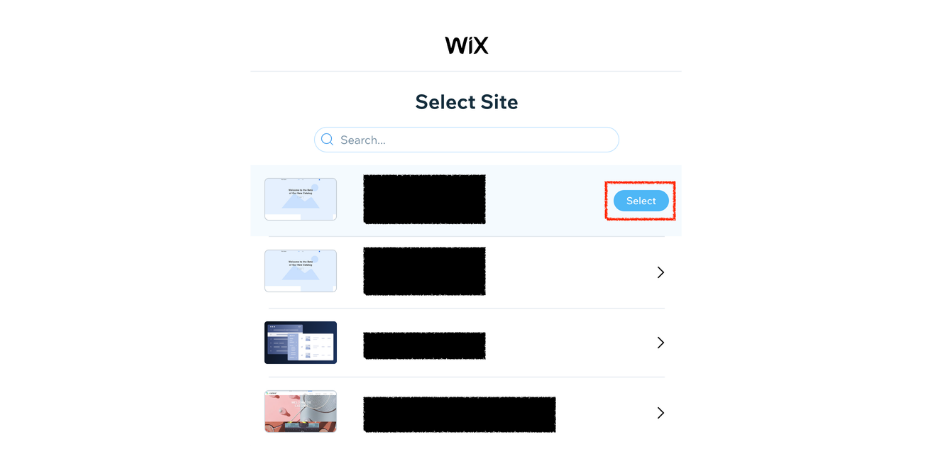
Grant Wix Permissions
You will be redirected to Wix to select your store and grant the required permissions to complete the integration.
check_circle
Finish Setup
Once authorized, you’ll be brought back to EasyParcel and the integration will be completed.
Step 1 of 5
Step 2 of 5
Step 3 of 5

Step 4 of 5
Step 5 of 5