Integrate TikTok Shop with EasyParcel in 5 steps.
Install TikTok Shop App
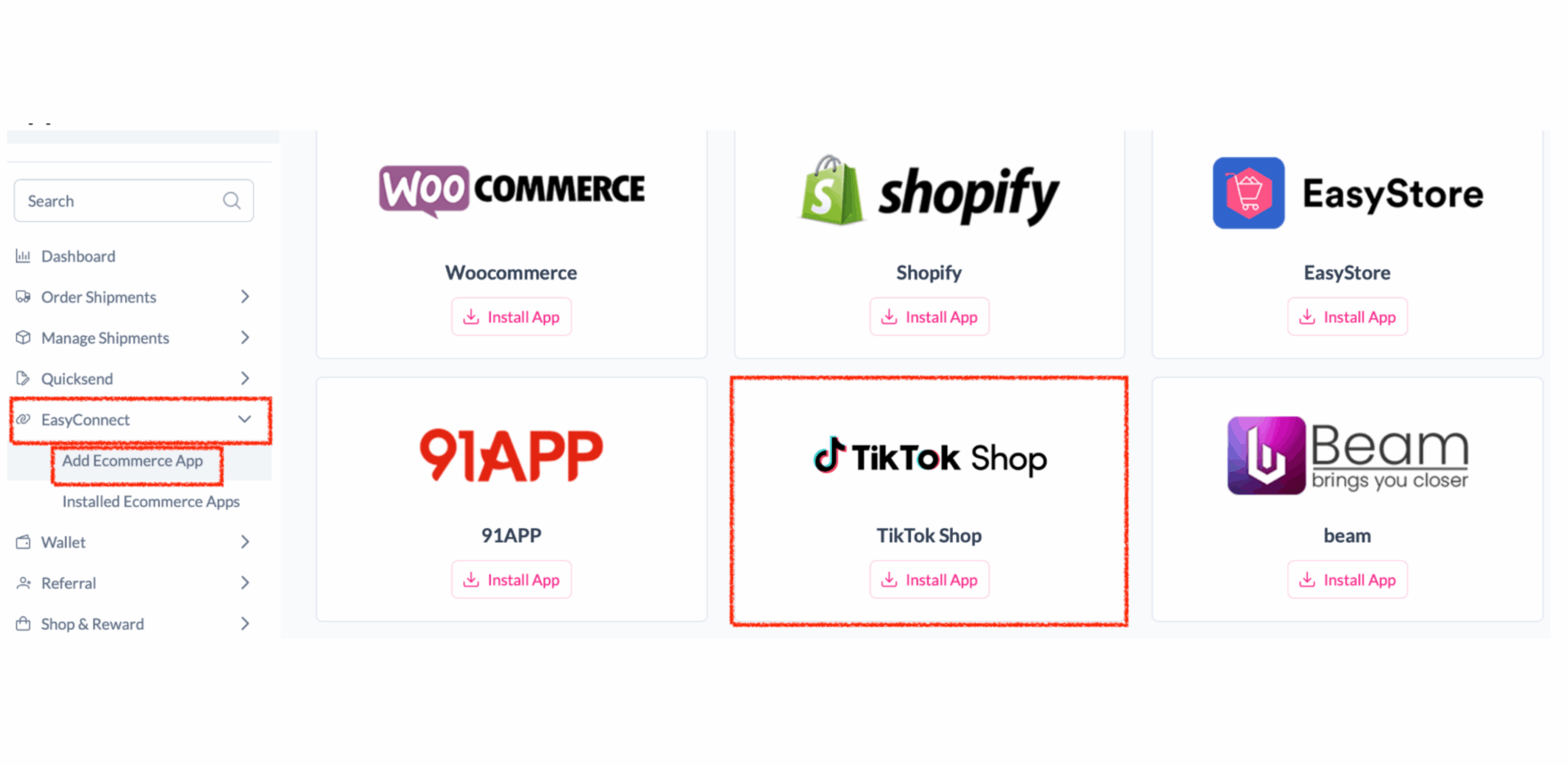
Log in to your EasyParcel account. Under EasyConnect, click Add Ecommerce App, find TikTok Shop, then click Install App.
Authorize & Connect Store
Click Allow Access. Enter your store name, store URL, and shop ID, then click Connect.
Select Seller Region
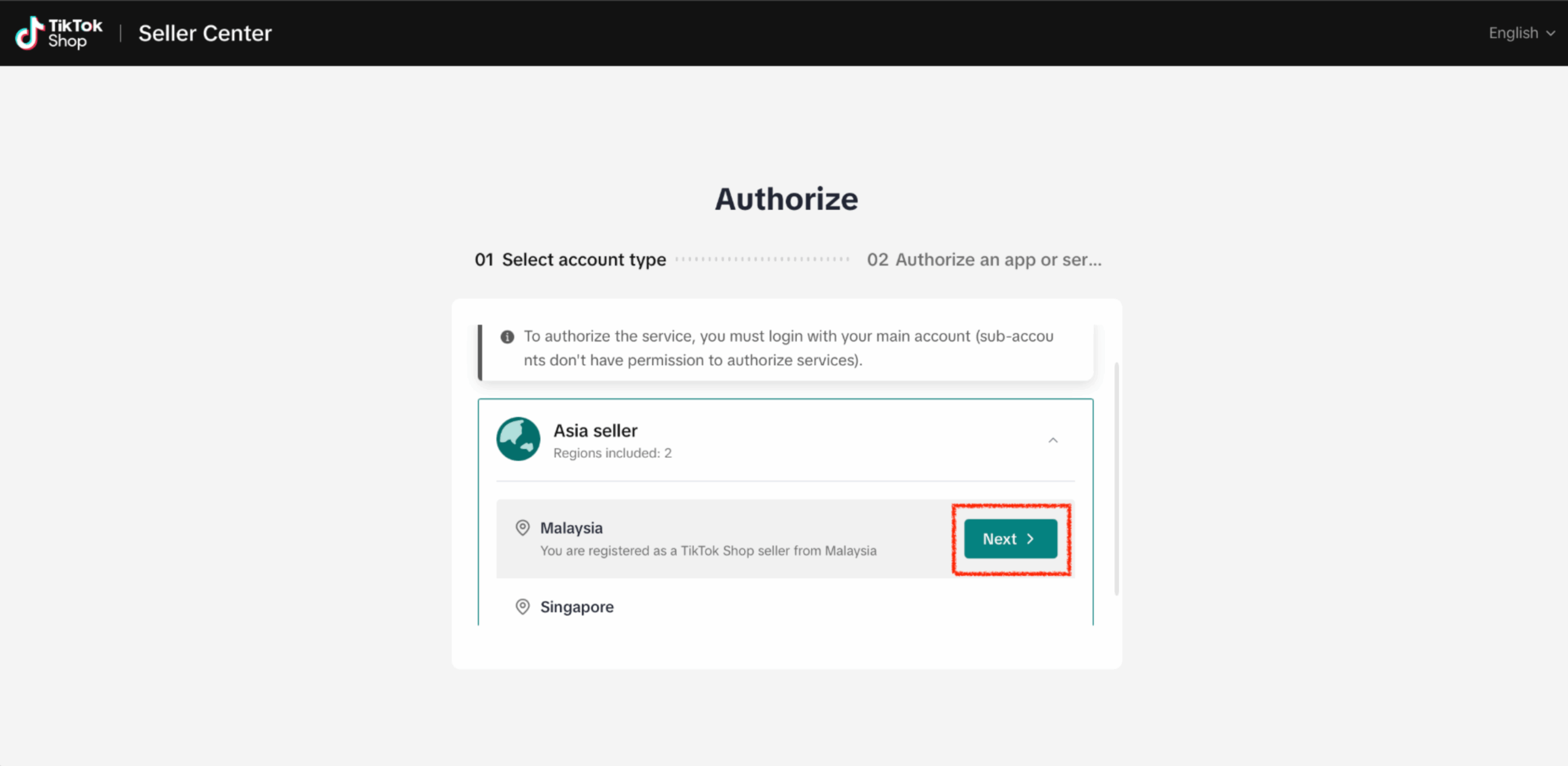
You will be redirected to TikTok Shop Seller Centre. Select the region of your seller account, then click Next.
Confirm Shop & Access Duration
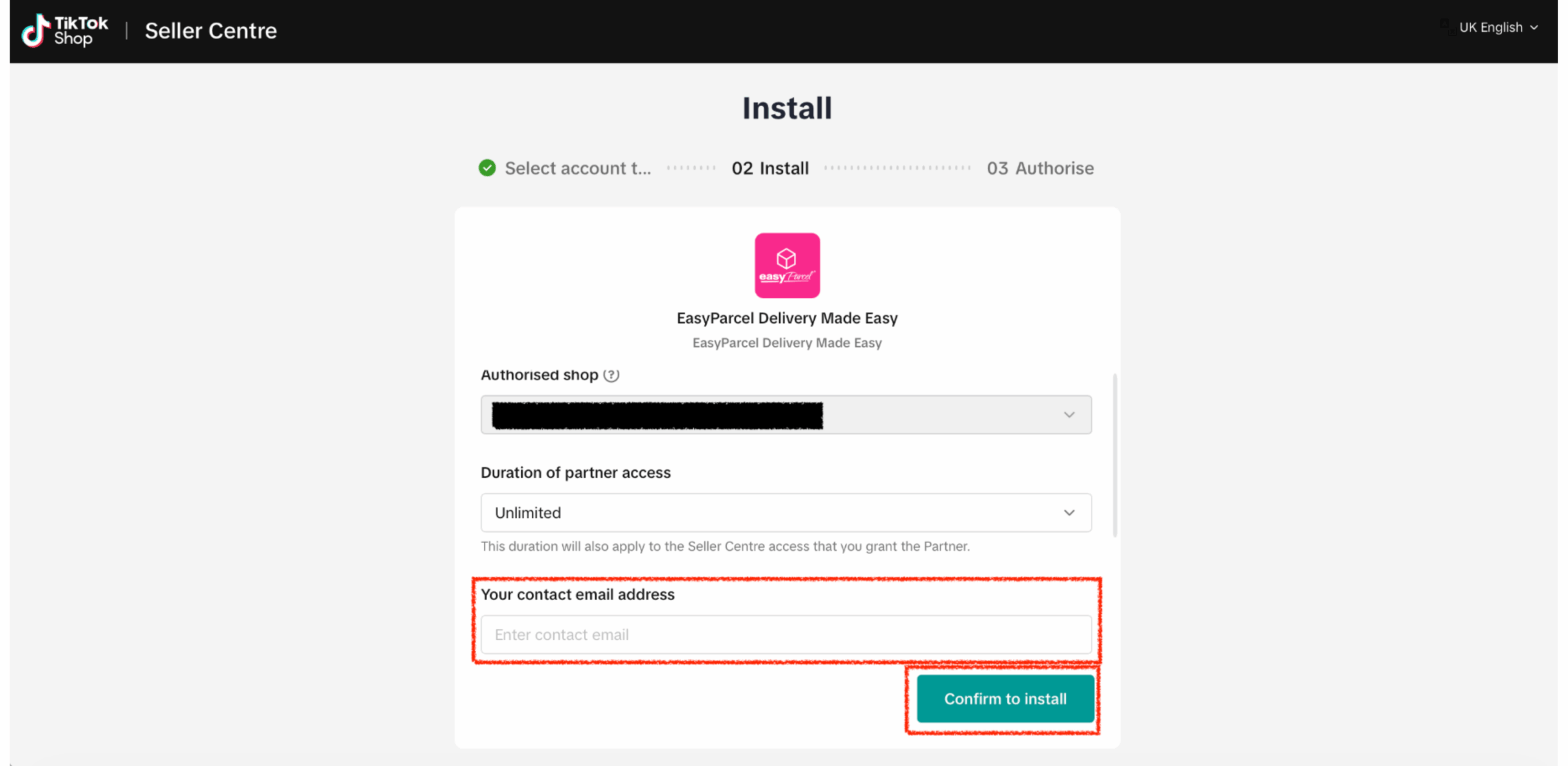
Confirm the shop you want to connect. Choose partner access duration, enter a contact email, then click Confirm to install.
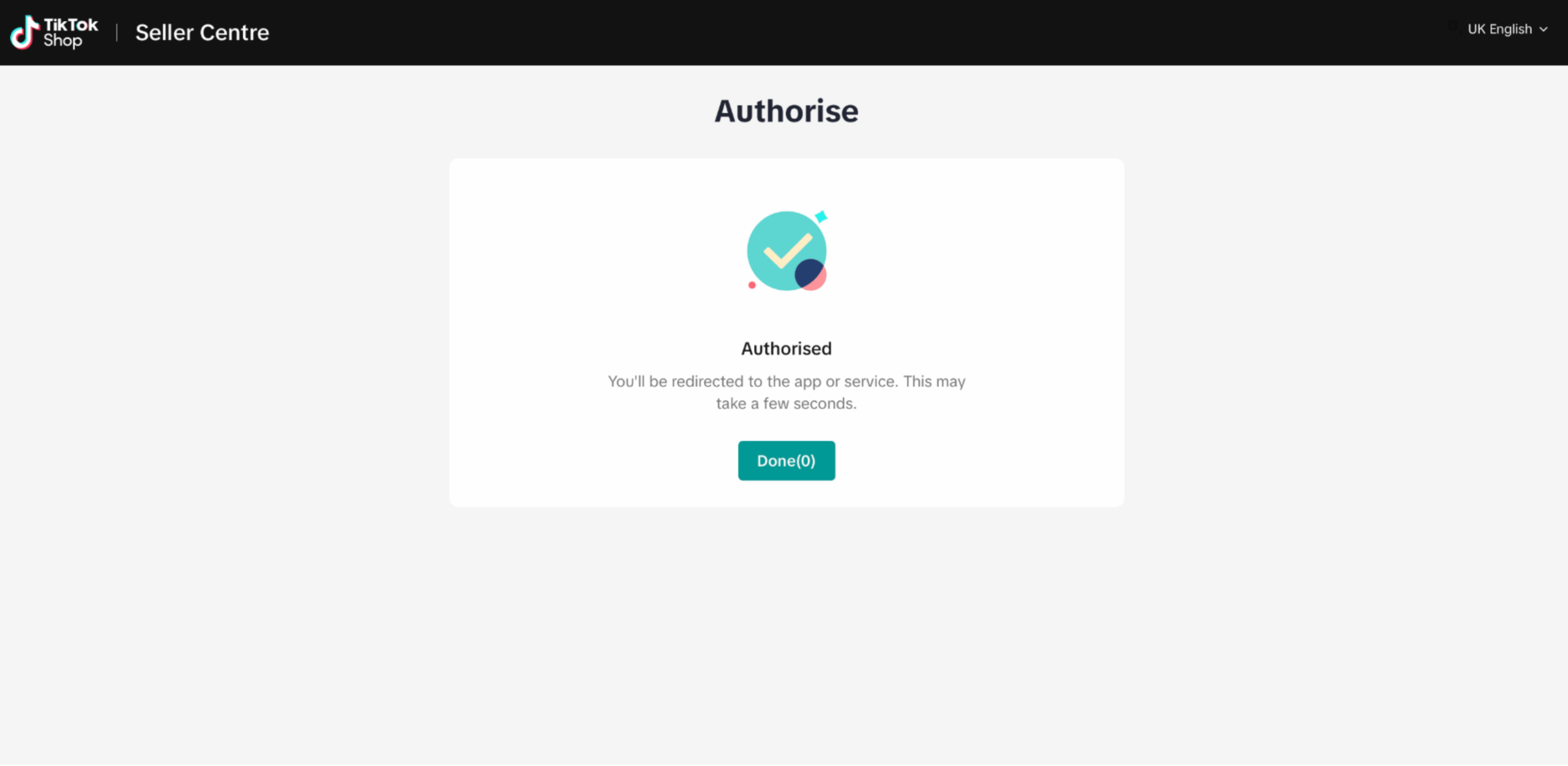
Authorize & Return to EasyParcel
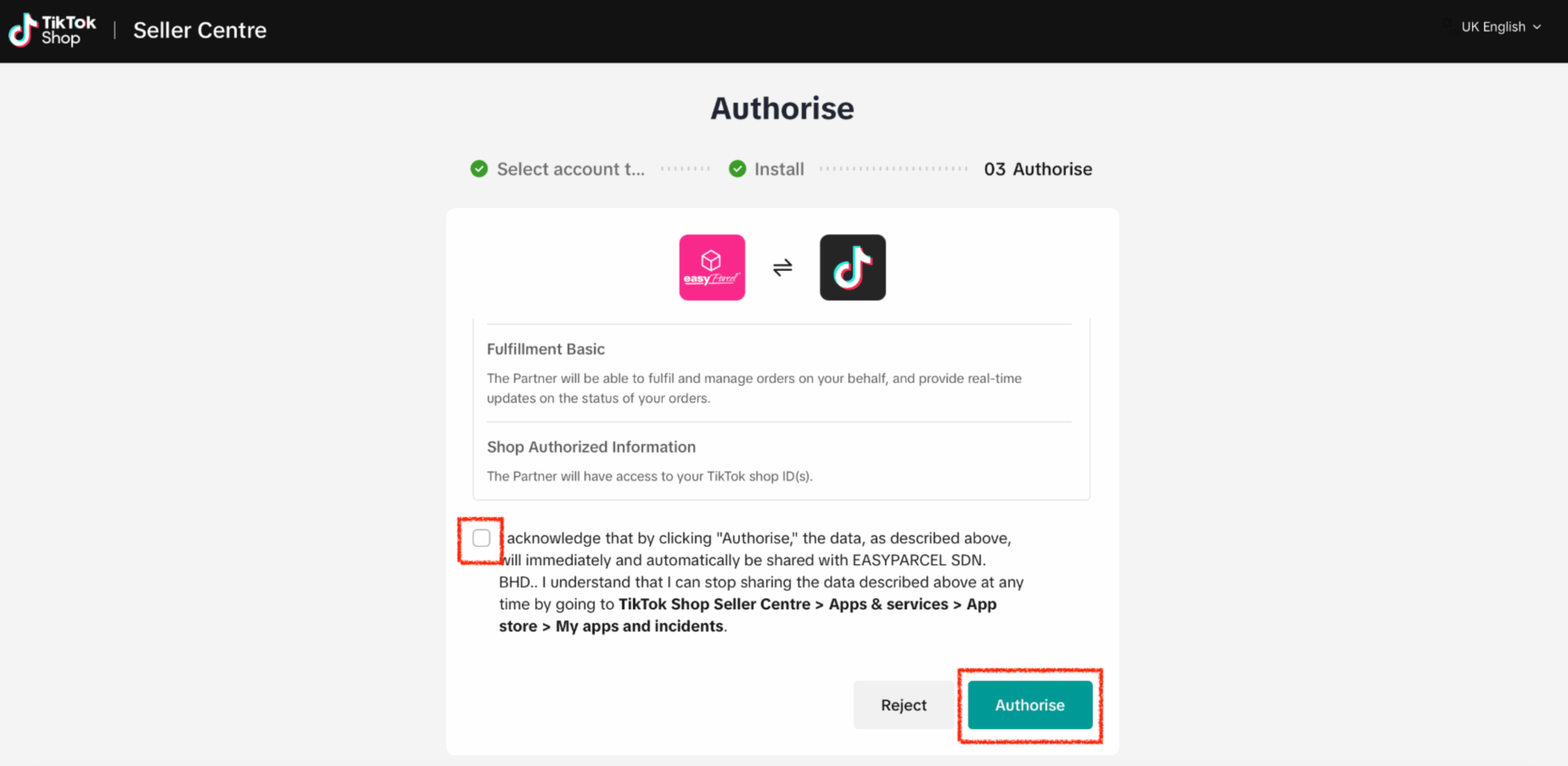
Check the acknowledge message, then click Authorise. You’ll be redirected back to EasyParcel in 5 seconds, or click Done to return immediately.